Class hours: 9:40 – 2:05
Mr. Bohmann
wbohmann@ewsd.org
Week Thirteen
Today’s Notes
- Today is an EHS B Day
- Next break is the December break. A quick 4 weeks.
- Python – Week 12 Test due at midnight.
- 20% drop box posted in Classroom. Take 15 minutes to make sure you’ve got what you need this week to give us an overview for your 20%
- What is the outcome of Web Unit? A professional Portfolio – your portfolio – What could you include? Start thinking and gathering…
- HTML Resume styled with CSS (and downloadable)
- About Me page with photo
- Collection of artifacts (photo gallery, models, animations, media/graphics, illustrations, code)
- Fun page
- Custom URL
- Incorporate:
- Advanced Layout Techniques
- Typography
- Color Palette
- JS for interactive experience
- Clean / Commented and Valid CSS and HTML
- Accessible
9:40 Attendance
9:45 Monday Mail – make a quick check – you seniors are important!
10:00 20% Showcase – Reverse Alpha Order

The dropbox for projects is in Google Classroom. Presenting work to each other is not only educational but also a great way to practice and improve your speaking skills.
Filename example: 20%_lastName.(whatever file extension fits)
20% Projects will be declared by the end of the day on Mondays. A project may last more than one week. You might be building towards something. Be specific.
For example: Animation in Blender using a rig, Disappearing effect in After Effects, 2D sidescroller in Unity
When presenting: Three Questions to respond to:
- What did you learn this week?
- What are you working on/showing us?
- What are your next steps? Where do you go from here? / What are you working towards?
10:35 Break

10:45 English with Mx. Yopp
11:30 CSS Grids
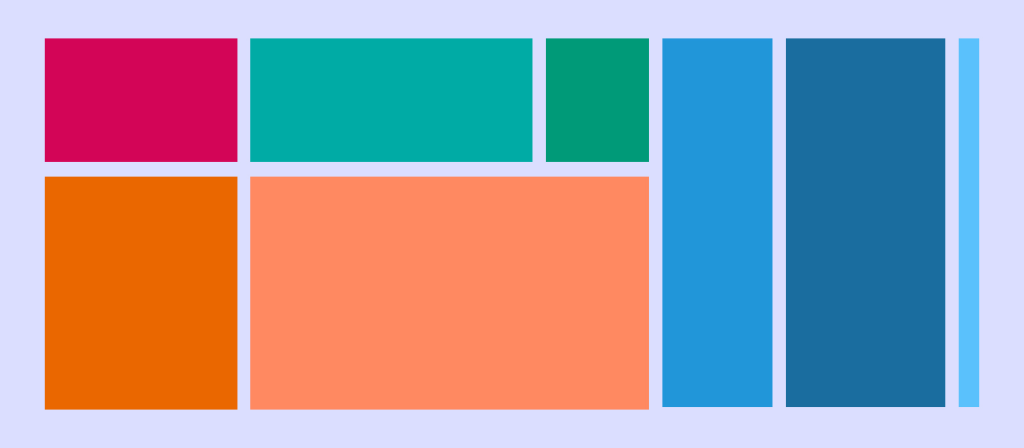
CSS grid layout or CSS grid is a technique in CSS that allows web devs to create complex responsive web design layouts more easily and consistently across browsers. The layout above is very easy to accomplish with Grid!
Flexbox is a one dimensional type of layout. CSS Grid allow you to layout in TWO dimensions.
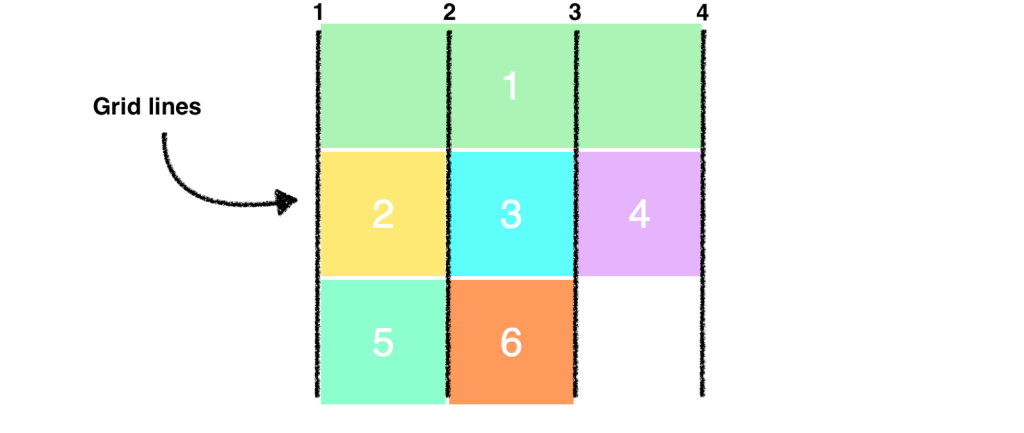
CSS Grid Property Terminology to Know
- display: grid (you’ll need a container)
- grid-template-columns: (for setting number of columns)
- grid-template-rows (for setting rows) [explicit grid]
- grid-gap (for setting the gap between the grid areas)
- nth-child ()
- fr (stands for fraction, can be used instead of percentage)
- minmax (for setting height min and max or width min and max)
Let’s jump into our SandBox in Code Pen – here is a starter project – just remember to fork it –
We’ll create two basics layouts – a simple grid of spaces and a classic layout called the Pancake Stack (I love pancakes). The pancake stack (one of the most popular designs out there) is soooo easy with grid.
12:15 Lunch
12:45 Literacy in Practice

1:10 Break
1:20 20% Production Time & Guided Support
- Parallax Website due end of day
- Flexbox Trading Cards – Due tomorrow, November 29th
- Famous Photographer’s Research Project – December 8th
- 20% For Week 13 – declare on board