Class Hours: 9:40 – 2:05
Mr. Cronin
Notes
- Thursday!
- Today we are going to start our Q2 in class reading from post afternoon article to 1:10. Today we will all get a jump start reading at 11:55.
9:40 Attendance and Article
9:45 Q1 in review Summative CTE T&E Rubric Assessment
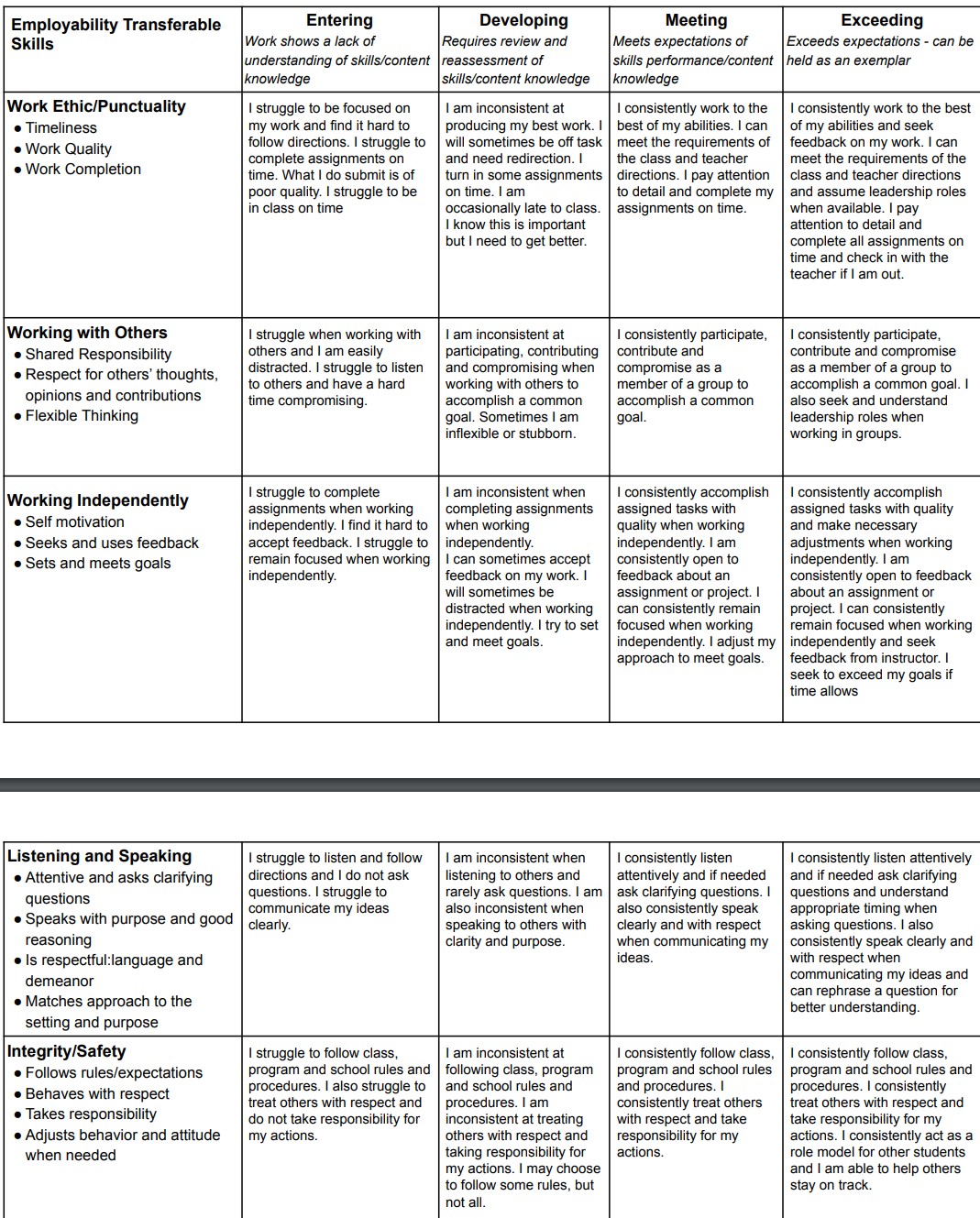
Tomorrow I will email you your Q1 in Review T&E Assessment using the CTE Rubric.
This rubric will be a reflection of your T&E and work this quarter.
I have taken into all the factors listed below, and some of the highlights include:
- Missed deadlines
- Missing work
- Late work
- Being late for class
- Working clean
- Having to be redirected / recued back to work
- Have you heard corrections / input and improved
- Etc
You will see a highlighted cell where I think you are, and where you can grow.
I am waiting to email this to you so these don’t pop up all over the room with your eyes darting at each others screens looking at others position on the rubric.
The information is yours alone, and it is for YOU to look at and improve in Q2 and beyond. Improving where you are on this rubric (by improving in each week) is something you as a 21st century student and future worker want to strive for.
9:50 “Oli” Character Concept Art
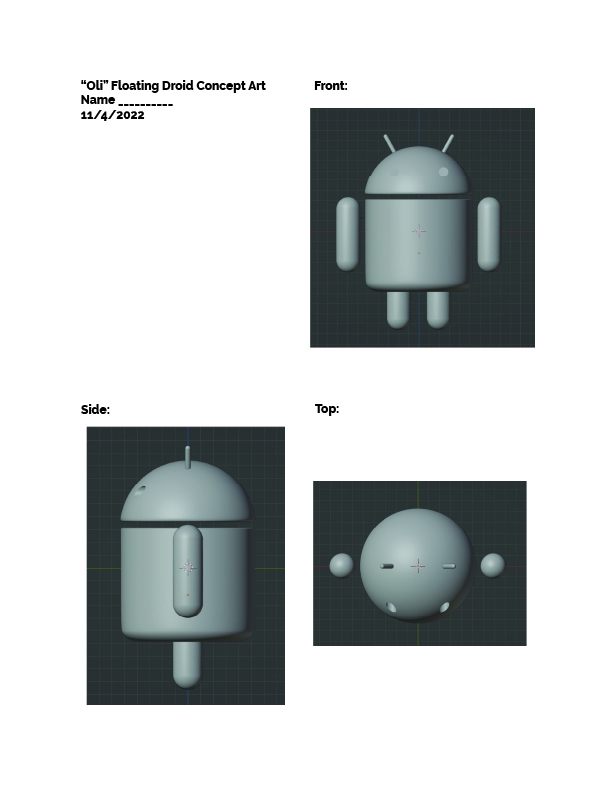
We are going to be designing our second floating droid tomorrow – Oli. This will go from 9:45 – 10:35.
You will create 3 orthographic views of your droid similar to what I did for Andy above – but through sketching. Top / Side / Front.
This is the concept art for this second character to be animated with Andy next week. In this part of the project you are the Concept Artist / Character Designer.
Next week you will be modeling someone else’s character – similar to the way we work in industry. One person isn’t in charge of the entire animation pipeline. This project will get us practicing working off of someone else’s concept art.
General character rules:
- Follow the style of Andy in terms of construction and detail. Separate pieces. Think mechanical. Not meatballs / organic.
- Floating
- Create arms and legs, but also some sort of detail on the head to use to animate emotion and expression. Antenna, Hat, etc.
We have time baked into class tomorrow to do this – but I can give you the character sheet today and you can do it tonight if you wish. This would give you more time in CAWD tomorrow with our computers and screens to work on CAWD work.
I need this handed to me tomorrow by 10:35 from everyone.
I just wanted to throw it out there as an option. Heck you could draw during another class if your teacher is ok with it.
9:55 CAWD Project: Emotions and Ball bouncing

Check back to the Wednesday Dayplan for specifics.
10:35 Morning Break (10 minutes)

- 10 Minutes break – you have to exit the room.
- When the door near the TV is open, you are welcome to come back in.
10:45 English

11:35 CAWD Project: Emotions and Ball bouncing
Check back to the Wednesday Dayplan for specifics.
11:55 A Gentleman in Moscow
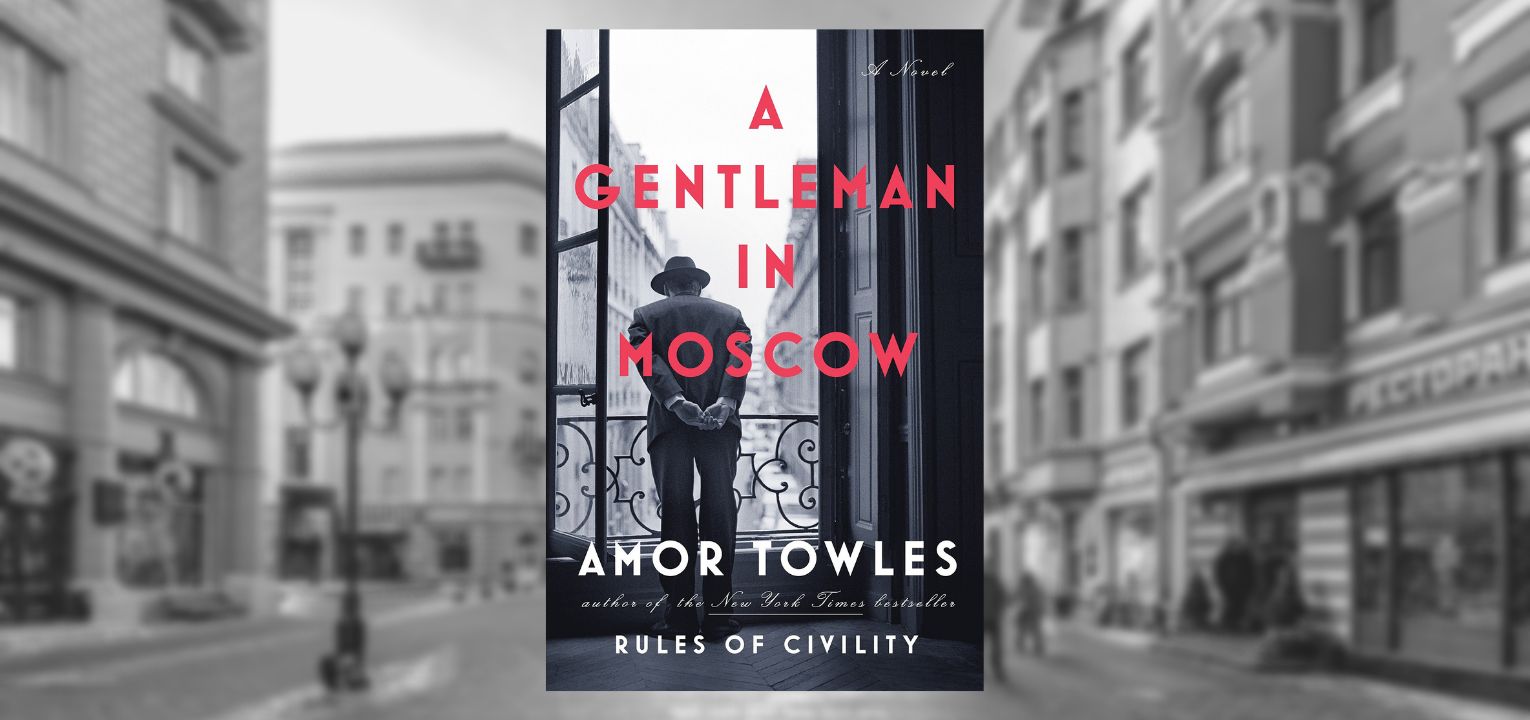
- Follow along as I read; lose yourself in a story for a bit.
- One of the strengths of this book are “beautifully rendered scenes“. You will be creating art based off of the text. Listen attentively.
12:15 Lunch (30 Minutes)

- No food in the room / eat in the Cafe.
- You are welcome to return to the room when you have finished eating and work / hang out.
12:45 Attendance and Article
12:50 A Gentleman in Moscow
- Follow along as I read; lose yourself in a story for a bit.
- One of the strengths of this book are “beautifully rendered scenes“. You will be creating art based off of the text. Listen attentively.
1:10 Afternoon Break (10 minutes)
- 10 Minutes break – you have to exit the room.
- When the door near the TV is open, you are welcome to come back in.
1:20 Afternoon Production

- CAWD Project: Animation Tests
- “(lastName)AnimationTests.mp4”
- Week 10 Agency
- “(lastName)Agency_1.jpg”
- “(lastName)Agency_2.jpg”
- “(lastName)Agency_3.jpg”
- Design Homework 10: 15 Floating Boxes in 1 Point perspective
- “(lastName)DH10.jpg”
1:55 Dailies

2:00 Dismissal